
Visitas por video en SCI Cambridge Springs: Cómo unirse, tiempos y privacidad
Las visitas por video en SCI Cambridge Springs se realizan a través de Zoom. Una vez que sepas cómo unirte y cuándo conectarte, el proceso es sencillo. Esto es lo que necesitas saber sobre la conexión, los tiempos y las reglas de privacidad que suelen confundir a la gente.

SCI Cambridge Springs utiliza Zoom para las visitas por video - una configuración que está vigente desde el 15 de dic. de 2021. Todos los reclusos son elegibles para visitas por video gratuitas, por lo que no pagará tarifas por visita solo para tener tiempo frente a pantalla.
Privacy heads-up: Video visits at SCI Cambridge Springs are monitored and recorded, except for visits with legal counsel.
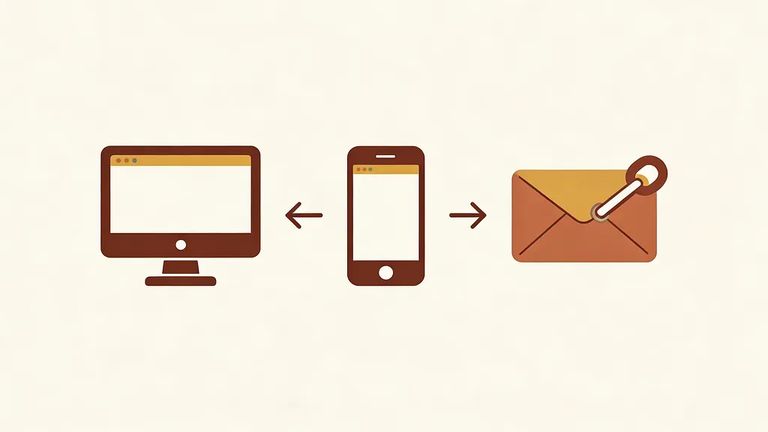
- Log into your PA DOC IVS account - From your account, select the Video Call URL for your scheduled visit to join through Zoom.
- Open the visit email and click the link - You can join by clicking the URL link that was emailed to you for the scheduled video visit.
- Join through the Zoom app - Open Zoom on your desktop or phone and enter the meeting ID and password provided in the visit email.
Tip: Have your IVS login info and the visit email ready before start time. Between the Video Call URL, the emailed link, and the meeting ID/password, that's where your "keys" to the visit live.
Join your video visit no more than 3 to 5 minutes before the scheduled start time. Other visits are booked before and after yours, so logging in too early can cause issues.
When your visit ends, hang up right away. This keeps the schedule moving so the next visit can start on time.
Each inmate may receive up to six video visits per month, including one weekend visit. This limit is tied to the inmate, not the visitor.
Up to six visitors can join a single video visit. If you're coordinating a group - kids, grandparents, siblings - decide ahead of time who's joining so you don't spend the first few minutes sorting it out.
Regular video visits at SCI Cambridge Springs are monitored and recorded. Visits with legal counsel are the exception.
Reminder: Treat a standard video visit like a recorded conversation - save legal strategy or other privileged details for legal counsel visits.
Troubleshooting Tips
- ✓ Carga tu dispositivo y asegúrate de que tu conexión a internet sea estable.
- ✓ Prueba tu cámara y micrófono con anticipación para no tener que solucionar problemas después de que empiece la visita.
- ✓ Mantén el correo de la visita abierto (o fácilmente localizable) para poder obtener rápidamente el enlace, el meeting ID y la password.
- ✓ Si te unes a través de IVS, ten listo tu acceso y busca la Video Call URL.
- ✓ No inicies sesión demasiado temprano - únete no más de 3 a 5 minutos antes de la hora programada.
Buscar a un recluso en SCI Cambridge Springs
Busca a un ser querido y envía mensajes y fotos en minutos.
