
How to Schedule Your First Video Visit at Alleghany Regional Jail
Scheduling your first video visit at Alleghany Regional Jail comes down to three things: setting up a PayTel account, getting approved as a contact, and booking a time slot. Here's how to do it.
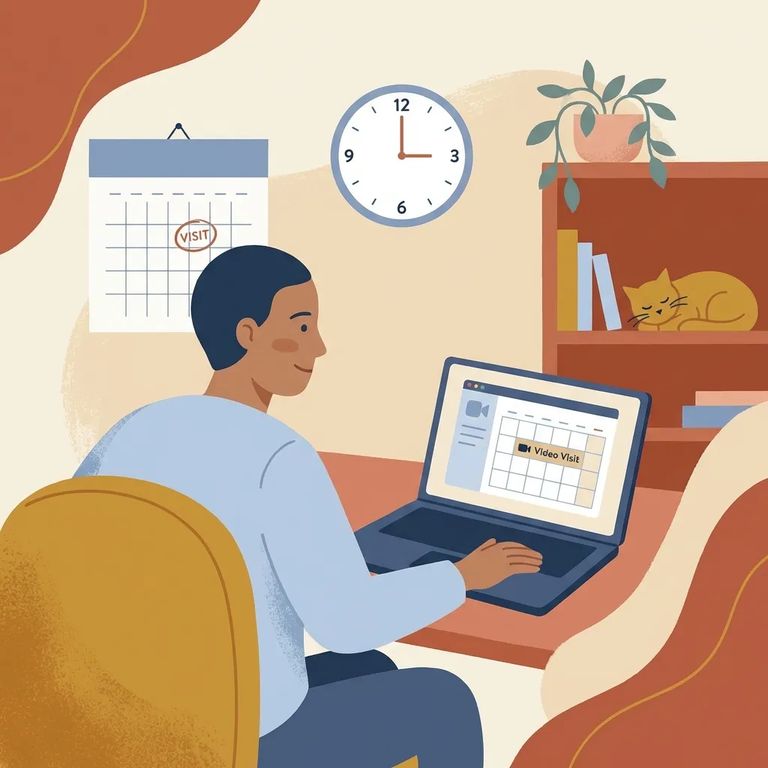
Las videovisitas en Alleghany Regional Jail se gestionan a través de PayTel. Puedes crear una cuenta en la app Pay Tel Connect o en paytelconnect.com. ¿Ya usas PayTel para llamadas telefónicas o mensajes? Estás listo - usa esa misma cuenta para las videovisitas.
¿Atascado durante la configuración o intentando añadir fondos? PayTel ofrece Live Chat dentro de la app Pay Tel Connect, o puedes llamar al 1-800-729-8355 para contactar al servicio al cliente. Su sistema telefónico automatizado en 1-800-PAY-TELL (1-800-729-8355) gestiona la creación de cuentas y los pagos las 24 horas.

- Start your PayTel account - Download the Pay Tel Connect app or go to paytelconnect.com and follow the prompts to create your login.
- Make sure you can fund the account - Video visits draw from your PayTel balance, so plan to add funds once your account is active.
- Use PayTel help if anything doesn’t work - Live Chat is available in the app, and you can call 1-800-729-8355 for customer service. If you just need to open an account or add funds, the automated phone system at 1-800-PAY-TELL (1-800-729-8355) is available 24/7.
Need help fast? Use Live Chat in the Pay Tel Connect app, or call 1-800-729-8355. You can also open an account or add funds any time through the 24/7 automated system at 1-800-PAY-TELL (1-800-729-8355).
You'll need to be approved as a contact before you can book a video visit. The process starts with your loved one - they add you from their side. Then you complete your part in PayTel by uploading a clear selfie and a photo of your state- or federal-issued ID. The jail uses these images to verify your identity.
- ✓ A selfie (a clear photo of your face)
- ✓ A clear photo of your state- or federal-issued ID
Once you submit your ID photos, the facility reviews them and either approves or denies your contact request. After approval, you can schedule video visits at least twenty-four hours in advance.

With your PayTel account ready and your contact status approved, you can book visits through PayTel/HomeWAV - either in the Pay Tel Connect app or on the PayTel website. Video visits pull from your PayTel balance, so fund your account before trying to schedule.
- ✓ Off-site (remote) video visits are available daily from 9:00 am to 10:00 pm, and you must pre-register through PayTel/HomeWAV
- ✓ On-site video visits must be pre-scheduled at least 24 hours in advance through PayTel/HomeWAV
- Confirm your PayTel account is ready - Make sure you can log in and that the account has funds available for video visiting.
- Check your contact approval status - If you aren’t approved yet, you won’t be able to schedule.
- Double-check the visit details - Verify you picked the right incarcerated person and the correct date/time.
- Test your device before the visit - Check your camera, microphone, and internet connection ahead of time.
- Use PayTel support if you’re still stuck - Try Live Chat in the Pay Tel Connect app, or call 1-800-729-8355 for customer service. If you need to add funds or open an account, the automated phone system at 1-800-PAY-TELL (1-800-729-8355) is available 24/7.
If your contact request is denied: Re-upload clearer ID photos and try again. If you need help fixing the issue in the app, use PayTel Live Chat or call 1-800-729-8355.
Final Checklist
- ✓ You have a PayTel account (Pay Tel Connect app or paytelconnect.com)
- ✓ Your PayTel account is funded (you can add funds by phone at 1-800-PAY-TELL / 1-800-729-8355)
- ✓ Your loved one added you as a contact, and you uploaded both required ID photos (selfie + state/federal ID)
- ✓ Your contact status shows approved, so you can schedule 24+ hours in advance
- ✓ Your visit is scheduled during the off-site window (daily 9:00 am–10:00 pm) or, if you’re doing on-site video, it’s booked at least 24 hours ahead
- ✓ Your camera, microphone, and connection are working on the device you’ll use
Buscar a un recluso en Southside Regional Jail, VA
Busca a un ser querido y envía mensajes y fotos en minutos.
