
How to Send Money to Someone at Blackwater River (using ConnectNetwork services)

Before sending money, take a minute to confirm Blackwater River uses ConnectNetwork/TouchPay for the deposit type you need. ConnectNetwork offers several payment methods - online, mobile app, automated phone, kiosks, retail locations, and mail - but availability and posting speed vary by facility and account type. This matters if timing is tight: some automated deposits post immediately, while others take up to a business day. To avoid misdirected payments, start from the facility's page inside ConnectNetwork and select the exact service you need.
Note: Posting times and availability can vary by facility and by account type. Double-check the facility page before you pay - especially for Trust Fund deposits, which are final and non-refundable.
- Sign in (or create your ConnectNetwork account) - you’ll need to be logged in to add anyone.
- Go to your Dashboard - this is where your saved inmates and services live.
- Click “Add Inmate” in the “My Inmates” area - you must add the inmate to your account before you can deposit funds.
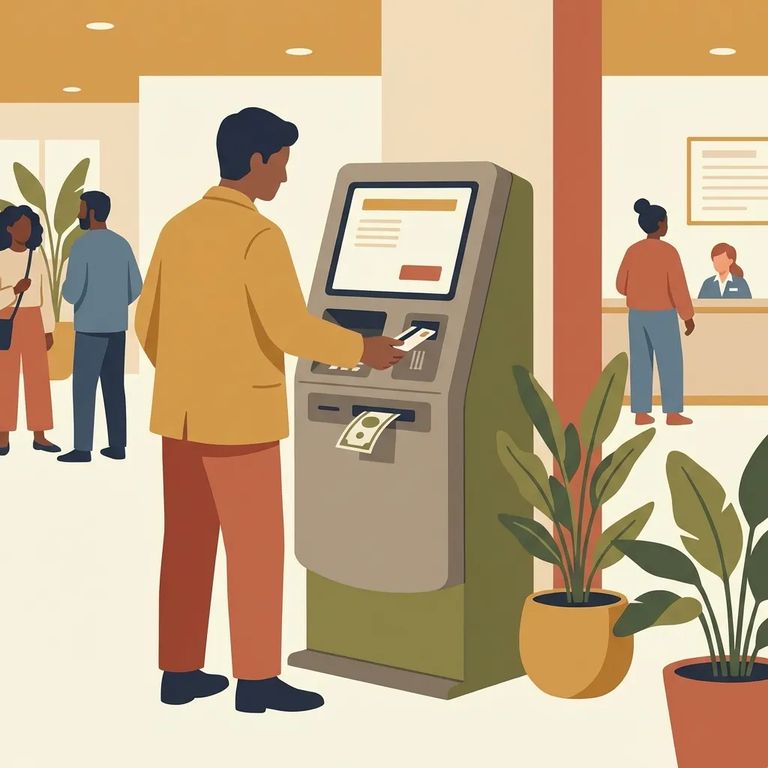
If Blackwater River uses ConnectNetwork, the fastest options are automated: online, mobile app, phone, or kiosk. Online and in-app payments run 24/7 and accept Visa or MasterCard. The automated phone system works the same way - useful if you don't have reliable internet or need to handle things quickly from anywhere. For in-person deposits, on-site ConnectNetwork kiosks are another quick option. They accept cash, credit, and debit cards, and process transactions around the clock. The flow is similar to an ATM: follow the prompts, enter the details, and complete your deposit.
Good to know: Deposits made through automated channels (online, mobile app, phone, or kiosk) to AdvancePay, PinDebit, or DebitLink accounts are available immediately for use.
- ✓ Use the ConnectNetwork website or mobile app if you have a Visa or MasterCard and want a 24/7 option.
- ✓ Use the automated phone system if you want to pay by card without logging in on a computer.
- ✓ Use a kiosk if you can go in person and want to pay with cash, credit, or debit.
- ✓ If you’re funding AdvancePay, PinDebit, or DebitLink through an automated channel, expect the money to be available immediately.
No card? Prefer cash? ConnectNetwork also accepts deposits at participating retail locations. This can be a practical workaround when online or phone payment isn't an option. Use the retailer list and instructions provided through ConnectNetwork to make sure you're at a supported location and the payment routes correctly.
Timing tip: Retail deposits are generally processed the next business day after they’re received, and actual availability is still subject to facility policies.

Mail works for checks or money orders, but it's the easiest way to lose time if anything is off. For mailed AdvancePay payments, make the check or money order payable to "AdvancePay Service Department" and include the account number. Other account types use different mailing addresses - ConnectNetwork shows the correct one for each service, so don't assume the AdvancePay address applies to everything. If you go this route, accuracy is everything: correct payee, correct account number, correct service address.
- ✓ Make the check or money order payable to “AdvancePay Service Department” (for mailed AdvancePay payments).
- ✓ Include the account number on the payment.
- ✓ Use the mailing address shown by ConnectNetwork for the specific account type you’re funding (different services can have different addresses).
- ✓ Before you send it, confirm you selected the right facility and service so the payment goes to the right place.
Plan for delays: Mailed (and retail) deposits are generally processed the next business day after receipt. Availability is subject to facility policies, and automated Trust Fund deposits are transmitted to the facility within one business day.
Trust Fund deposits - what most people mean by "commissary" - come with two realities: timing and finality. Even through automated channels, Trust Fund deposits are transmitted to the facility within one business day. That's different from AdvancePay, PinDebit, or DebitLink deposits, which post immediately when made through automated methods. Fees also vary by facility, so the amount you pay and the amount that lands may differ. Here's the big one: Trust Fund deposits through ConnectNetwork are final. No refunds. Double-check the inmate, facility, and account type before you hit pay.
Tip: Confirm you’re funding the correct account type before paying - Trust Fund deposits can’t be reversed or refunded.
If Something Goes Wrong
- ✓ Save your receipt or confirmation screen.
- ✓ Write down the transaction ID (if one is provided).
- ✓ Note the date/time and which payment channel you used (online/app, phone, kiosk, retail, or mail).
- ✓ Call ConnectNetwork toll-free support if you need help tracking a payment or resolving an issue.
If you need live help, ConnectNetwork lists toll-free numbers for customer service and for its automated payment systems. Customer Service is (877) 650-4249. The automated lines include AdvancePay (800) 483-8314, Trust Fund (888) 988-4768, and PIN Debit (855) 706-2445 - use the one that matches the account you’re trying to fund.
Find an Inmate at Blackwater River Correctional Facility
Search for a loved one and send messages and photos in minutes.
