
How to Send Mail to Someone at Chesapeake Jail (why your mail goes to Tampa and what gets scanned)
Mailing a letter to someone at Chesapeake Jail? Here's the catch: it doesn't go to the jail first. Regular mail gets routed to a Securus processing center in Tampa, where it's scanned so your loved one can view it on their tablet. Official items like legal documents still go directly to the facility.

Chesapeake runs a two-track mail system. Regular postal mail - letters, postcards, greeting cards - goes to a Securus PO Box in Tampa. There it gets scanned and posted to your loved one's inmate tablet. Legal documents and other official mail skip the scanning process entirely and go straight to the Chesapeake facility.
For regular mail, use this Securus address (yes, Tampa - not Chesapeake): Inmate Name and Securus ID# Chesapeake, VA C/O Securus DMC PO BOX 22706 Tampa, FL 33622
- ✓ Write the inmate’s full name clearly on the outside of the envelope or postcard
- ✓ Include the inmate’s Securus ID number clearly on the outside of the envelope or postcard
Once you drop a letter, postcard, or greeting card in the mail, it heads to Securus for processing. Staff scan it into the system, and your loved one views the digital copy on their tablet. They won't hold the original paper in their hands - they're reading a scanned version.
Tip: Since mail gets scanned, write clearly and make sure the inmate's name and Securus ID are legible on the envelope. Those details determine which account the mail posts to.
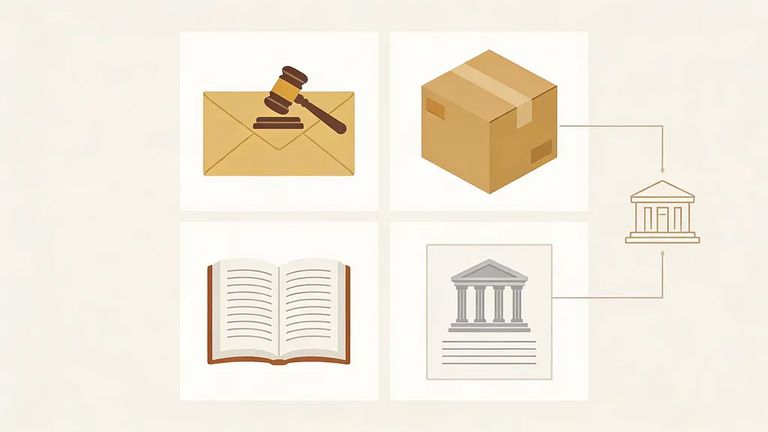
Some items shouldn't go to Tampa at all. Legal mail, court documents, bank statements, packages, and publications go directly to the facility - no Securus scanning involved. Sending something official or time-sensitive? Double-check you're using the right address so it doesn't get misrouted.
- Confirm it’s an exempt item - Legal mail, court documents, bank statements, packages, and publications should go directly to the Chesapeake facility (not the Securus PO Box).
- Address it for direct delivery - Use the facility’s direct mailing instructions and still include your loved one’s name and Securus ID so staff can match it to the correct person.
- Keep the two tracks separate - If you’re also sending a regular letter or greeting card, send that piece to the Tampa Securus address so it can be scanned to the tablet system.
Want to send digital mail instead? You can register for an account with Securus Technologies. Once set up, you'll be able to send and receive digital messages connected to your loved one's account.
- ✓ Register an account with Securus Technologies
- ✓ Connect your account to the inmate you’re trying to reach (using the inmate’s identifying information, such as their Securus ID)

If mail doesn't show up, start with the basics. The inmate's name and ID number must be clearly printed on the envelope or postcard - that's how the system matches it to the right account. Remember, regular mail arrives as a digital scan on the tablet, not a hand-delivered letter, so delivery timing works differently. If something gets rejected, you should receive a notification explaining why (whether the whole piece was rejected or just part of it).
- Re-check the address track - Regular letters/postcards/greeting cards go to: Inmate Name and Securus ID# / Chesapeake, VA / C/O Securus DMC / PO BOX 22706 / Tampa, FL 33622.
- Verify the inmate identifiers - Make sure the inmate’s name and Securus ID are clearly printed on the outside of the envelope or postcard.
- Look for a rejection notice - If the mail was rejected, watch for the notification explaining why.
- Resend the right way - If you were trying to send legal mail, court documents, bank statements, packages, or publications, send those directly to the Chesapeake facility rather than to the Tampa PO Box.
Find an Inmate at Chesapeake Jail, VA
Search for a loved one and send messages and photos in minutes.
