
How an Inmate at Dillwyn Adds or Updates Their Approved Call List
At Dillwyn, your loved one manages who they can call through VADOC's offender telephone system. Here's how it works, what info to share with them, and what to do if a number won't connect.
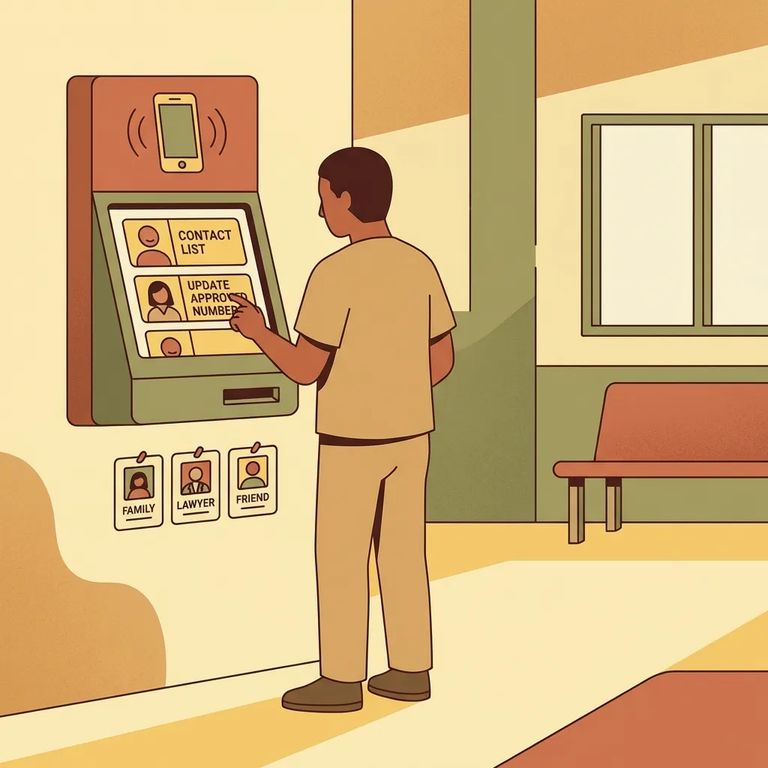
When someone arrives at Dillwyn and enters VADOC custody, they're automatically enrolled in the inmate telephone system. No separate sign-up required - they can use the phones once they're in. The inmate manages their own approved call list through the offender telephone system. They add numbers, remove numbers, and keep everything updated themselves. The most helpful thing you can do? Make sure they have your correct phone number and any other numbers that matter.
Note: Calls are recorded and monitored, except for properly verified attorney calls.
The approved call list at Dillwyn can include family, friends, and legal contacts. Attorney numbers and investigator hotline numbers count toward the list too. Here's the limit to plan around: the list holds a maximum of 15 approved numbers. Those 15 slots cover everyone - personal contacts and legal numbers alike - so it helps to decide early which numbers are must-haves. Cell phones work fine. The system handles cellular and wireless numbers the same way it handles landlines.
- ✓ Pick the best single number for each person (avoid giving multiple numbers for the same contact unless it’s truly necessary)
- ✓ Make room for legal needs (attorney numbers and investigator hotline numbers count toward the 15)
- ✓ Choose numbers that are reliably answered (a “main” family phone often works better than rotating work phones)
- ✓ If you share a phone plan or household line, confirm which number should be used so the inmate doesn’t waste a slot
- Have the full phone number ready - the inmate adds numbers through the offender telephone system, so they need the exact number to enter (cell and other wireless numbers can be added the same as landlines).
- Add the number in the telephone system - using the system’s call-list management options, the inmate enters the number to place it on their approved list.
- Remove a number if the list is full - because the list is limited, they may need to delete an old or unused number before a new one can be added.
- Double-check for typos - if a digit is wrong, the call won’t route the way they expect, so it’s worth verifying the number carefully before they save it.
Note: Calls are limited to 20 minutes, so it helps to plan ahead for who needs to be called and what needs to be covered.

Your role is mostly about providing clean, accurate information. Since the inmate adds and removes numbers through the offender telephone system, you can't directly update their list for them. What you can do: make sure the number you want them to use is correct and reachable. If you're receiving collect or debit calls, you have control on your end - you can deny any collect or debit call from an inmate. That's helpful if calls come at a bad time or you need to sort out phone settings first. And don't worry if your main number is a cell phone. Dillwyn's system handles cellular numbers the same as landlines.
- ✓ Send your loved one the exact phone number you want listed (and re-check the digits)
- ✓ Decide which single number is best for you if you have multiple lines
- ✓ If you’re getting collect or debit calls, remember you can deny any collect or debit call you don’t want to accept
- ✓ If the number is for an attorney, make sure it’s set up as a properly verified attorney contact so it can be treated appropriately
If your loved one transfers to another VADOC facility, they stay enrolled in the same telephone system - enrollment happens when they first enter VADOC custody. They'll keep using the offender telephone system to manage their approved call list at the new location.

- Confirm the inmate added the number in the system - the approved list is managed through the offender telephone system, so the number won’t be available to call until the inmate enters it.
- Re-check the number digit by digit - one wrong digit can make it look like “calls aren’t going through” when the number was simply entered incorrectly.
- Try removing and re-adding the number - if the number was entered wrong the first time, deleting it and adding it again can fix the problem.
- Decide whether to accept the call type - if the call is coming through as collect or debit, you’re allowed to deny it; if you’ve been denying calls, that can look like a connection issue from the inmate’s side.
- Make sure the number type matches what you gave them - cell and other wireless numbers can be added, but the inmate still has to enter the correct number they’re trying to reach.
Note: Calls are monitored and recorded (except properly verified attorney calls) and are limited to 20 minutes, so privacy is limited and conversations may cut off at the time limit.
This information is based on VADOC guidance for phone use and call lists, including Operating Procedure 803.3 (Inmate and CCAP Probationer/Parolee Telephone Systems) and VADOC’s “Phone Correspondence” guidance for family and friends.
Find an Inmate at Dillwyn Corrections Center, Va
Search for a loved one and send messages and photos in minutes.
