
How to Set Up Free Microsoft Teams Video Visits with Someone at Dorsey Run
Dorsey Run offers free video visits through Microsoft Teams. Getting set up takes three steps: meet the eligibility requirements, complete the DPSCS Video Visitation Form, and create a Microsoft Teams account.
Eligibility Checklist
- ✓ You can’t have any open arrest warrants.
- ✓ You can’t be suspended from visitation at any State correctional facility.
- ✓ Each adult visitor must complete and sign a separate Video Visitation form, and anyone age 16 or older must sign and show a valid photo ID at the time of the visit.
Before you can do a video visit, DPSCS requires you to complete the Video Visitation Form. Your signature matters - by signing, you’re acknowledging you’ve read the rules and that you’ll follow the video visitation criteria during the call.
Start with the DPSCS Video Visitation Form. Every adult visitor needs to fill out and sign their own copy before participating in a virtual visit. If you're 16 or older, you'll also need to show a valid photo ID when the visit happens. The signature section isn't just a formality. By signing, you're confirming you've read the rules, understand them, and will follow them during the call. That agreement is what allows DPSCS to approve you for Teams visits.
Important: Return the completed Video Visitation Form to the institution’s administration - do not give the signed form to the incarcerated person. Sending it the wrong way can delay your ability to visit.
DPSCS runs all virtual social visitation through Microsoft Teams (it replaced Skype). You'll need an account to join the call - no Teams, no visit. New to Teams? Download the app ahead of time and poke around a bit so you're not scrambling right before your visit. DPSCS provides setup instructions, and following them can save you from last-minute tech headaches.
Submit your paperwork early. DPSCS requires the Video Visitation Form to be returned to the facility within two weeks of any planned visit. The good news? You only need to complete the form once. After approval, you won't have to redo the paperwork for future visits - unless the facility tells you otherwise.
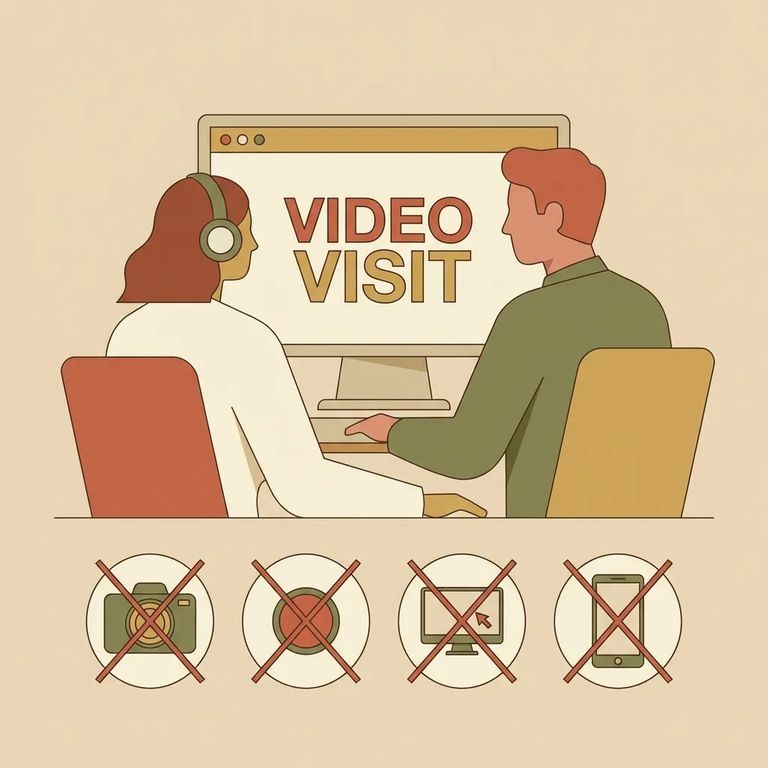
Teams visits still follow strict rules. Three-way calling isn't allowed. Neither are screenshots or screen captures of the incarcerated person or the video feed. These restrictions are part of what you agreed to when you signed the form. If you're sharing a device with family, make sure everyone in the room knows: no recording, no screenshots, no adding extra people to the call.
- ✓ Don’t engage in lewd behavior, indecent exposure, or sexual acts; video visitation occurs in an open space, and recorded acts of indecent exposure will be provided to local law enforcement.
- ✓ Don’t display drugs or drug paraphernalia.
- ✓ Don’t use obscene language or gestures.
- ✓ Don’t wear prohibited revealing clothing, including items like tube tops, tank tops, halter tops, see-through clothing, mini-dresses, shorts, skorts, culottes, form-fitting leotards or spandex, clothes that expose the midriff/side/back, tops or dresses with revealing necklines, or excessive splits.
Video visits through DPSCS are free for eligible incarcerated individuals and approved visitors. Once you complete the setup steps, you can connect over Microsoft Teams at no cost.
Find an Inmate at Dorsey Run Correctional Facility
Search for a loved one and send messages and photos in minutes.
