Before Your First Visit to Ferguson Unit: A Practical Checklist
Your first prison visit goes smoother when you handle the common

Review visiting hours, scheduling steps, approval requirements, dress code rules, and any available video or in-person visit options for TDCJ - Ferguson Unit.
Visiting at the TDCJ Ferguson Unit starts online. Register with a valid email, enter the 7-digit validation code sent to that address, and complete the Background Questionnaire (every question is required). TDCJ staff cannot create your visitor account for you, and once an account exists, the original email cannot be deleted or changed. Forgot your password? Use the scheduler's Forgot Password link. To connect with an inmate, search using their 8-digit TDCJ or SID number (or use Offender Search), then submit a Relationship Request for unit staff verification. The scheduler may show Regular, Contact, and Video/Tablet options. If the inmate already has a visit that week, available dates may disappear. A blank button or "Call Unit" message means you need to contact the unit directly.
Search for a loved one and send messages and photos in minutes.

Your first prison visit goes smoother when you handle the common
Setting up your TDCJ Online Visitation Scheduler account is mostly straightforward. But a couple of early choices can create long-term headaches if you rush. Follow the steps below so your account is complete and ready to add an inmate and schedule a visit.
Setting up your TDCJ Online Visitation Scheduler account is simple—but a couple of early missteps can cause lasting headaches. Follow these steps to avoid getting stuck with an email you can't change or a profile that won't submit.

Planning to visit someone at the Ferguson Unit or another TDCJ facility? You'll need to set up your own Online Visitation Scheduler account first. Here's how to do it—and how to avoid the errors that trip most people up.

Visiting at the TDCJ Ferguson Unit is easier when you know what type of visit you're scheduling and what's allowed once you're there. Use the TDCJ online scheduler to book your visit, and confirm any special circumstances (like long-distance travel) before you go.

Weekend visits get complicated fast when multiple people want to see the same person. Here's how the one-visit-per-weekend rule and visitor list limits work at the Ferguson Unit, plus simple ways to coordinate so nobody makes the drive for nothing.
Can't pick a date in the online scheduler? It usually comes down to one of a few specific blockers. Here's how to figure out which one you're dealing with—and what to do next.

Register with a valid email, then use the registration link to enter the 7-digit validation code sent to that email. Finish by completing the Background Questionnaire and answering every required question.
Available dates disappear when the inmate already has a visit scheduled that week. If the Schedule Visit button is blank or shows "Call Unit," contact the inmate's unit directly to schedule.
Search for the inmate by their 8-digit TDCJ or SID number (use Offender Search if you don't have it). Then submit a Relationship Request, which goes to the inmate's unit for TDCJ staff verification before you can schedule visits.
Trying to visit someone at the Ferguson Unit? Adding them to your TDCJ Online Visitation profile is the first step. Here's what happens after you click "Request Approval," and what you can do while you wait.
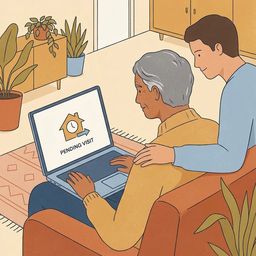
Trying to schedule a visit at Ferguson Unit but you're not "on the list" yet? What matters is where your relationship request sits in the TDCJ online visitation scheduler. Here's how the approval process works — and what to do while you wait.
As of September 6, 2023, the Ferguson Unit moved onto TDCJ’s digital mail platform. That means most personal mail no longer goes straight to the unit first — it’s routed through the Digital Mail Processing Center, where it’s sorted, scanned, and uploaded to the person’s secure tablet so they can view it there.