Send Photos & Mail at Indiana Women's Prison

How to send messages, photos, and packages

Overview

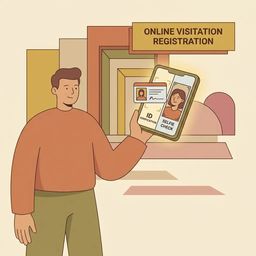
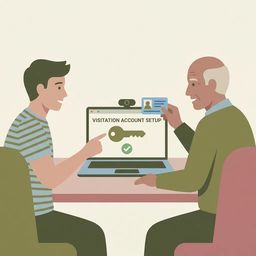
Sending messages or photos to someone at Indiana Women's Prison? You'll use GettingOut following the IDOC tablet transition. Start by creating a new GettingOut.com account—you can do this on desktop or mobile. On a computer, head to gettingout.com and follow the account creation steps, including confirming your date of birth. On your phone, download the GettingOut app from the App Store, tap Get to install, and finish setup in the app. Messages and photo attachments have per-item fees, so check your balance before sending. The tablets run on a closed intranet with no web or social media access—all communication stays within the vendor system.

Find an Inmate at Indiana Women's Prison

Search for a loved one and send messages and photos in minutes.

Exact spelling helps find results faster

Free to search · Used by families nationwide
Woman using phone to connect with loved one

Quick Facts

  • Families must set up a new GettingOut.com account to continue sending pictures and messages after the IDOC tablet transition.
  • Create a GettingOut account on a computer by navigating to gettingout.com, completing the create-account steps, confirming DOB, and submitting the form.
  • You can set up GettingOut via the mobile app by finding GettingOut in the App Store, clicking Get, and installing the app.
  • Messaging and media through the tablet/vendor system carry specified per-item charges (messages and photo attachments incur fees).
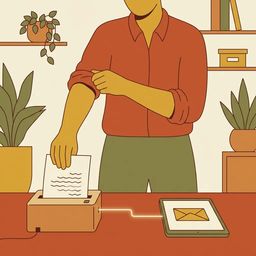
  • Many Indiana facilities scan personal mail and deliver it electronically to kiosks or tablets instead of giving inmates the original paper.

Send Photos & Mail Guides

inwp-mail-policy-copied-correspondence

Why your letters are being copied (Indiana DOC mail policy) — what families need to know

If you've been sending letters and your loved one says they only got a black-and-white copy—or nothing at all—you're not imagining things. Indiana DOC policy requires the mail room to photocopy all incoming general correspondence. Your loved one gets the copy, not the original. Distribution is supposed to happen within 48 hours, though weekends, holidays, and facility emergencies don't count toward that window.

Common Questions

Do I need a new GettingOut account to send messages and photos to someone at Indiana Women’s Prison?

Yes. After the IDOC tablet transition, families must set up a new GettingOut.com account to keep sending pictures and messages.

How do I create a GettingOut account on my computer or phone?

On a computer, go to gettingout.com and complete the create-account steps, including confirming date of birth and submitting. On a phone, install the GettingOut app from the App Store and follow the in-app setup prompts.

How much does it cost to send messages or photos through the tablet/vendor system at Indiana Women’s Prison?

Costs are charged per item. Messages and photo attachments have separate fees, so check the vendor rate sheet and your GettingOut balance before sending.

Will letters sent to Indiana Women's Prison be scanned and delivered electronically?

Many Indiana facilities scan incoming personal mail and deliver it electronically to kiosks or tablets instead of handing out the original paper letter.

What items are not allowed in mail to inmates?

Commonly prohibited items include stickers, glitter, cash, clippings, and sexually explicit material. Mail that violates the rules may be rejected or returned.

Do I need an account to send photos or messages to an inmate using IDOC tablets?

Yes. Families must set up a new GettingOut.com account to continue sending pictures and messages after the IDOC tablet transition, and some tablet messaging/media features have per-item charges.

Other Guides for Indiana Women's Prison

View all guides