
Before You Drive to the Unit: Your Pre-Visit Checklist
A little preparation can save you a wasted trip. Use this checklist to confirm visitation is actually available, then show up with the right ID and nothing that will get you turned away.
Find visitation information for Jim Rudd Unit, including scheduling, visitor requirements, dress code, and available visit options.
Everything starts with the Visitors List. Each inmate at Jim Rudd Unit can have up to 10 names on it, so make sure yours is added before you try to go. A standard in-person visit lasts two hours, and that clock starts when both the inmate and visitor(s) are present. If staff confirm your relationship to the inmate, it may move into "Verified Inmate Relations," which can make visits schedulable through the visitation portal. Before you drive out, confirm the inmate's housing assignment and visitation privileges, then call Jim Rudd to verify the posted schedule. Keep in mind that visits are a privilege and can be limited due to rule violations, lockdowns, or other health and security reasons. Remote video visit availability and how schedules display can vary by unit.
Search for a loved one and send messages and photos in minutes.

A little preparation can save you a wasted trip. Use this checklist to confirm visitation is actually available, then show up with the right ID and nothing that will get you turned away.
Scheduling your first visit can feel overwhelming with all the moving parts. Take it one step at a time, though, and the TDCJ system is actually pretty straightforward. You'll know exactly what to do—even if the scheduler tells you to call the unit directly.

Scheduling a tablet video visit in TDCJ starts online. The setup is usually straightforward once you know the checkpoints that can block you. Use the steps below to create your account, complete the required questions, and get your visit on the calendar.
Visiting at the Jim Rudd Unit is easier when you know two key rules up front: how long a regular visit lasts and how the approved Visitors List works.

In TDCJ, "remote video visits" and "tablet video visits" are two different things. A remote video visit is a live video call conducted through a kiosk. Tablet visitation is a separate program where the video call happens on an agency-issued tablet. Both fall under the same department. TDCJ Inmate Technology Services oversees Securus Video Visitation and the inmate tablet program, which is why the names can sound interchangeable. The scheduling process, though, is different for each.
TDCJ visits start with one basic gatekeeper: the inmate's Visitors List. If your name isn't on it, you're not getting in. And the list has a strict 10-name cap.
Contact visits can feel intimidating the first time—you're not sure what's allowed. Here are the Jim Rudd Unit rules on physical contact, plainly explained, so you can walk in knowing what to expect.
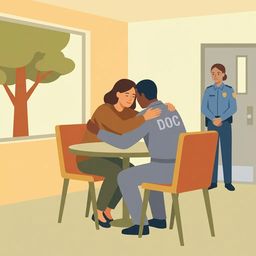
A smooth visit comes down to a few basics: confirm everything before you drive, bring the right ID, and leave prohibited items—especially your phone—behind.

Each inmate may list up to 10 names on their Visitors List at Jim Rudd Unit.
Regular visits last two hours. The clock starts when both the inmate and the visitor(s) are present.
Yes. Confirm the inmate’s housing assignment and visitation privileges, and call the unit to verify the schedule before you travel.
Want to get phone calls from someone at the Jim Rudd Unit (TDCJ)? You'll need to handle a few things first, including registration and making sure your phone number is the right type to receive calls.
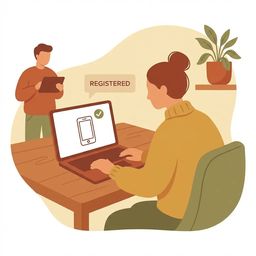
To receive calls from someone at the Jim Rudd Unit, you'll need two things: the inmate's TDCJ ID number and a phone number you can register as yours. During enrollment, you'll confirm you own the number — so use one that's actually listed in your name.

Sending money to a TDCJ inmate is pretty straightforward once you know your options. Here are the main deposit channels, what they cost, and the rules that can slow things down.