
How to Get Approved to Visit Someone at Riverbend Max: Complete CR-2152 Walkthrough
Getting approved to visit at Riverbend Max starts with one form: Tennessee's CR-2152 Visitation Application. Fill out every section, use a physical street address (not a P.O. Box), and attach your photo exactly where it asks. Do that, and you'll avoid the most common delays.

Quick Checklist
- ✓ Fill out every section of the CR-2152 - don’t leave blanks.
- ✓ Use a physical street address on the form (a P.O. Box isn’t allowed).
- ✓ Have a recent photograph ready to attach in the correct spot on the application (lower left-hand corner).
- ✓ Be prepared to provide your driver’s license number and state of issue (or other ID details the form asks for).
- ✓ Plan ahead: you’ll need to update (renew) your CR-2152 every 24 months.
- ✓ Follow the facility’s submission instructions - prospective visitors may be told to return the completed form (with a current photo) to the Deputy Superintendent/Associate Warden in charge of visitation within 30 days.
The CR-2152 is clear: every question needs an answer. Take your time and complete each section, even if a detail seems unimportant. Basics like your name, date of birth, relationship to the incarcerated person, and ID details are exactly the fields that slow things down when they're skipped or half-finished. Before you sign, scan the whole form top to bottom. Make sure nothing is blank. If a question genuinely doesn't apply, don't leave it empty - fill it out the way the form instructs so it's obvious you didn't miss it.
Note: Don’t use a P.O. Box as your address on the CR-2152. Use a physical street address (for example, a house or apartment address) so your application doesn’t get held up.
If the form asks about prior convictions or criminal history, answer directly and consistently. This section is where "close enough" backfires - mismatched dates, missing charges, or downplaying what happened can look like you're hiding something. Stick to facts you can verify. Not sure about an exact date or case detail? Look it up before you submit so your answers match official records.
Read the entire CR-2152 packet - not just the first page. Some applicants hit problems because they miss a second page used for specific situations, which may require extra steps like notarization. If you're filling out any part of the form for a minor visitor, double-check whether that section needs a notarized signature before you send it in. Missing a required notarization is an easy way to get rejected or asked to resubmit.
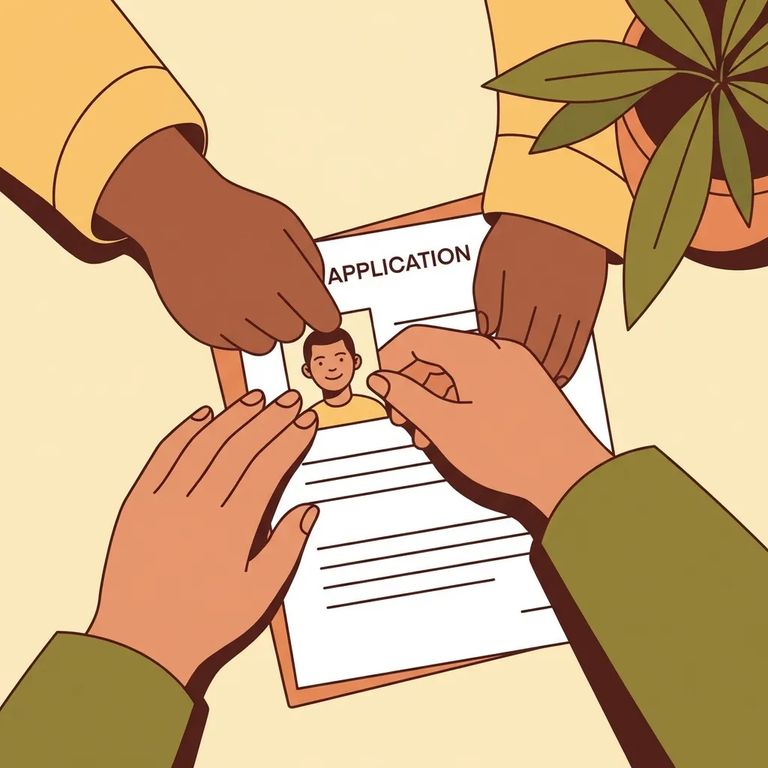
Your application won't be processed without a recent photograph attached in the lower left-hand corner of the CR-2152. That placement matters - do it before you mail the form so it doesn't get forgotten in the last-minute shuffle. Use a clear, current photo where your face is easy to recognize. Blurry, outdated, or incorrectly placed? You're risking a preventable delay.
Once the CR-2152 is complete and the photo is attached, return it to the warden of the institution listed on the application. That's the baseline instruction on the form. In practice, facilities may direct prospective visitors to return the completed application (with a current photograph) to the Deputy Superintendent/Associate Warden in charge of visitation within 30 days. If the person you're visiting or the facility gives you a specific "send it to this office" instruction, follow it so your paperwork reaches the right desk the first time.
- ✓ Attach a recent photograph in the lower left-hand corner before you submit the form.
- ✓ Make sure the photo is secure (not loose in the envelope) so it doesn’t get separated from your application.
- ✓ Recheck that the photo is current and looks like you right now (clear face, easy to identify).
- Replace a P.O. Box with a street address - the CR-2152 does not allow a P.O. Box as your address, so use a physical location.
- Attach the required photo in the correct spot - put a recent photograph in the lower left-hand corner, or the application won’t be processed.
- Do one last full-form review - confirm every section is filled out before you send it.
- Check for blanks - all sections must be completed; go line by line and confirm nothing is left empty.
- Verify your personal details match your ID - name, date of birth, and other identifiers should be consistent.
- Sign where required - don’t let a missing signature turn into a resubmission.
Note: If you’re completing any part of the CR-2152 packet that requires notarization, get it notarized before you submit. A missing notarization is a common reason paperwork gets kicked back.
After you submit the CR-2152, expect a background check. All visitor applicants go through an NCIC background check, and the facility uses those results as part of the approval decision. That check is one reason approvals aren't instant. Even a perfect form still has to move through the review process.
While you wait, keep a copy (or photo) of what you submitted so you can answer questions quickly if staff need clarification. If a lot of time passes with no word, confirm the form was received and ask whether anything is missing. Asked to correct something? Fix only what's needed and resubmit promptly. Most delays come from small, fixable issues - a missing section, an address problem, or the photo not attached correctly.
Approval isn't permanent. CR-2152 visitor applications must be updated every two years (24 months). If you want to keep visiting without interruptions, set a calendar reminder so you can renew before your approval lapses. When you renew, treat it like a fresh application: complete every section and include the required photo so you don't lose time to avoidable processing problems.
Not sure where to send your paperwork or how Riverbend Max handles submissions right now? Start with the instructions on the CR-2152 (return it to the warden of the institution). Then confirm any facility-specific directions you've been given - day-to-day handling can vary by institution and by the office managing visitation. When you reach out for clarification, have the incarcerated person's name and TDOC ID ready. Tell staff you're trying to submit (or renew) a CR-2152 visitor application. That keeps the conversation focused and usually gets you the fastest answer.
Find an Inmate at Riverbend Max, TN
Search for a loved one and send messages and photos in minutes.
