
Setting Up Video Visits at Yellowstone County: How to create an NCIC account, schedule, and use free visits
Video visits at Yellowstone County Detention Center require an NCIC account before you can schedule one. Once set up, you can visit from your phone, computer, or a kiosk in the facility lobby.

Yellowstone County Detention Center uses electronic video visitation. Connect using a smartphone, a computer with a webcam, or a kiosk in the facility lobby. Either way, you'll need to create an NCIC account first.
Each inmate gets two free video visits per week. Want more time? Additional visits can be purchased by the inmate or by friends and family.
You can do a video visit from a smartphone, a computer with a webcam, or at a kiosk in the facility lobby. It's the same electronic visit either way - you're just choosing where you connect from.
On the inmate side, they can access a tablet or kiosk to receive remote visits once they're moved to a housing unit.
You need an NCIC account to schedule a video visit at Yellowstone County Detention Center. Without one, you won't get past the first step. Set up your account first, then come back to pick a time.
Note: Yellowstone County's materials reference two NCIC web addresses: ncic.com and Videovisit.ncic.com. If the detention center's instructions direct you to Videovisit.ncic.com, use that for account setup and scheduling.
- Go to the NCIC video visit site - Yellowstone County’s guidance directs visitors to Videovisit.ncic.com for setting up an account and scheduling.
- Create your NCIC account - Enter your information and complete the sign-up process on the site.
- Confirm your account (if prompted) - If the system sends a verification step (like an email confirmation), complete it so you can move forward.
- Set up your visitor profile - Make sure your profile details are filled out so the system can match you to the facility’s video visitation setup.
- Schedule the visit - Use the scheduling tool on the site to pick an available visit time for your incarcerated person.
Yellowstone County Detention Center provides two free video visits per week for each inmate. Plan around those free sessions first - everything else is extra.
Need more than two visits? Additional sessions can be purchased by the inmate or by friends and family.
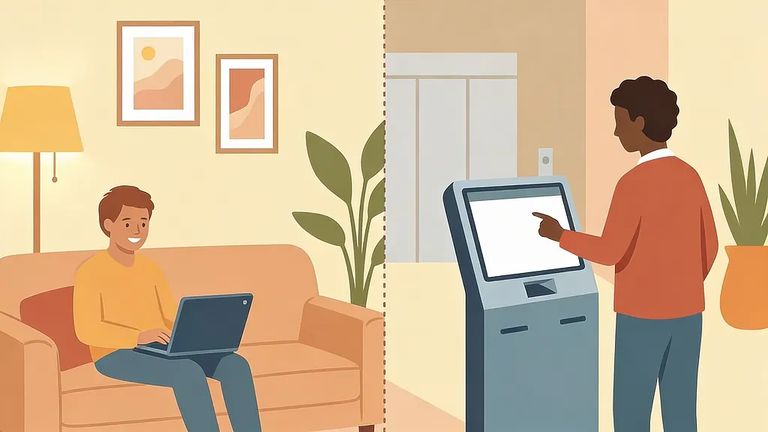
If you have reliable internet and a quiet place to talk, visiting from home on your smartphone or computer is the easiest option. Don't have the right device or connection? Use a video visitation kiosk in the facility lobby instead. The jail confirms the lobby kiosk exists, but doesn't list hours - check availability before making the trip.
- ✓ If you’re having trouble creating an account or scheduling, start with NCIC support through the NCIC site you’re using (the video visit portal or the main NCIC site).
- ✓ If the issue is on the facility side (for example, an inmate service request connected to visitation access), contact the YCSO Civil Division.
- ✓ When you ask for help, have the inmate’s name ready and describe exactly what happened (error message, whether you were on phone vs. computer vs. lobby kiosk, and what step you got stuck on).
Need facility help? All inmate service requests are processed through the YCSO Civil Division: 406-256-2959 or SOCivil@yellowstonecountymt.gov.
Find an Inmate at Yellowstone County Detention Center, MT
Search for a loved one and send messages and photos in minutes.
