Send Photos & Mail at Fulton Community Supervision

How to send messages, photos, and packages

Overview

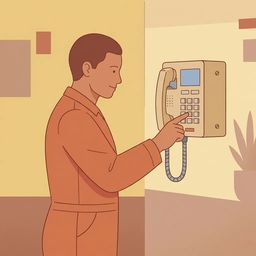
You can't call someone at Fulton Community Supervision directly. Offenders cannot receive incoming phone calls, so you'll need to wait for them to reach out. Outgoing calls are placed as collect, debit, or prepaid calls. Segregation units may have more limited phone access. The incarcerated person typically needs a personal PIN and funds on a debit or prepaid account, or they can purchase calling time through commissary or kiosks. Securus is the facility's communications vendor. For customer support, visit securustech.net or call 800-844-6591. Phone, video, and other electronic communications are generally recorded and monitored. Remote services usually require you to register with the vendor portal and get approved first.

Find an Inmate at Fulton Community Supervision

Search for a loved one and send messages and photos in minutes.

Exact spelling helps find results faster

Free to search · Used by families nationwide
Woman using phone to connect with loved one

Quick Facts

  • Inmates cannot receive incoming telephone calls; only outgoing calls are allowed.
  • Telephone calls at this facility are processed as collect, debit, or prepaid calls.
  • For vendor support, Fulton lists Securus; their contact details include securustech.net, 800-844-6591, and customerservice@securustech.net.
  • Calls and other electronic communications are typically recorded and monitored, and using remote services usually requires registering with the vendor portal ahead of time.

Common Questions

Can inmates at Fulton Community Supervision receive incoming phone calls?

No. Offenders cannot receive incoming telephone calls. They can place outgoing collect, debit, or prepaid calls, and segregation units have limited phone access.

How do I get help with phone or video services at Fulton Community Supervision?

Use the vendor listed by the facility, Securus. Visit securustech.net, call 800-844-6591, or email customerservice@securustech.net for support.

Do I need to register or create an account to use calls, video, or electronic messaging?

Usually, yes. You'll typically need to register with the vendor portal, upload ID and a headshot for verification, and get approved before using remote visits or messaging services.

Other Guides for Fulton Community Supervision

View all guides