
General guidance for Mail and Photos
Mail and Photos at SATF-Corcoran: start with our general mail and photos guide, then confirm details with the facility at (760) 246-7600.
Also known as: SATF Correctional, Satf Csp
Find inmate search, visitation, mail, phone, and commissary information for SATF-Corcoran in California City, CA. Use this guide to confirm facility details and next steps.
Search for a loved one and send messages and photos in minutes.

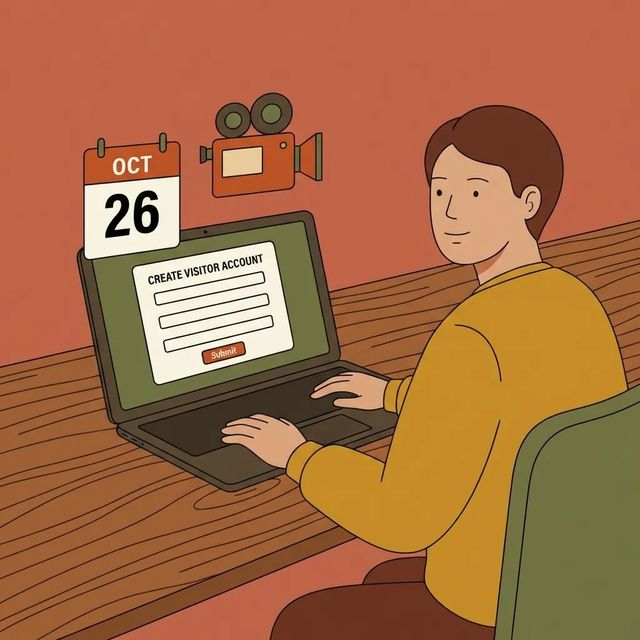
Visiting at SATF-Corcoran starts with setting up online access so you can schedule visits ahead of time.
Read Guide
Adding funds for someone at SATF-Corcoran? The main thing to know is there's a service transition happening. A few quick steps now will save you headaches later.
Read Guide
SATF‑Corcoran is switching from ViaPath to Securus for phones and tablets. The key thing to understand: this isn't just a software update. There's a physical device swap, and some ViaPath content won't carry over.
Read GuideBased on official sources and community feedback.Learn how we verify
To visit someone at SATF-Corcoran, use the facility's online scheduling portal to book and manage visits. Reserve your date, time, and location ahead of time to skip long lines. Many California facilities use online systems like GTL/VisitMe or the Visitation Scheduling Application (VSA) for account creation, booking, and confirmations. The process: claim or create your account, sign in (use the password-reset link if locked out), then select your visit type, date, time, and location before confirming. You can schedule from a computer, smartphone, or tablet. Some locations also offer video visits or on-site video stations. Bring a valid, unexpired government photo ID and make sure you're on the incarcerated person's approved visiting list. Minors typically need a parent or legal guardian and may require extra paperwork.
Read full guideSATF-Corcoran is switching inmate communication services from ViaPath to Securus as part of a CDCR statewide transition. This affects phone calls, video visits, and electronic messaging. Create a Securus account ahead of time so you're ready when the facility switches over. Standard audio calls from institution phones and tablets remain free under the department's communications programs. Paid options (like some video visit features) typically require prepaid funds through the communications app. During the changeover, some institutions stay on the older platform until their scheduled switch date. Confirm which provider the facility currently supports before you schedule or pay for services.
Read full guidePlanning to manage money for someone at SATF-Corcoran? Create a Securus account before your loved one's facility transition. Deposits are typically made through an online or mobile vendor portal, by phone, at a lobby kiosk, or with a U.S. Postal Service money order. Exact options vary by facility and vendor. Funds in an inmate trust account can be used for commissary purchases, phone time, and hygiene items. They may also be reduced by court-ordered deductions or restitution. Before you start, have the incarcerated person's full name and booking or facility ID ready, then follow the vendor's instructions. Don't mail cash. Check fees and posting times so the money arrives when needed.
Read full guideMail and Photos at SATF-Corcoran: start with our general mail and photos guide, then confirm details with the facility at (760) 246-7600.
Use SATF-Corcoran's online scheduling portal. You'll reserve a date, time, and location and manage your visits from there. Claim or create an account, sign in, choose your visit type and time, then confirm.
VisitationYes. You can schedule through the portal from a computer, smartphone, or tablet. If you can't get in, use the portal's password-reset or help options to regain access.
VisitationBring a valid, unexpired government-issued photo ID, and make sure you are on the incarcerated person’s approved visiting list. Minors generally must be with a parent or legal guardian and may need additional paperwork or checks.
VisitationYes. CDCR is moving inmate communication services from ViaPath to Securus as part of a statewide transition.
CommunicationYou should set up a Securus account in advance so you can use video and electronic messaging once SATF-Corcoran transitions. If the site has not switched yet, keep using the provider the institution currently supports.
CommunicationCreate and verify a Securus account before your loved one's transition, then register for video and messaging services. If you plan to use paid video visit features, add prepaid funds through the app. Confirm which platform the facility currently supports before scheduling.
CommunicationSearch for your loved one to start communicating today
CDCR is transitioning its inmate communication services from ViaPath to Securus.
This guide is compiled from official facility documentation and community feedback. Learn how we verify