
How to Contact an Inmate at Facility
This facility uses JailATM for most of the ways families stay connected: bail payments, account deposits, and video calls. Personal mail goes through a central processing system, so it helps to understand how that works before you send anything.
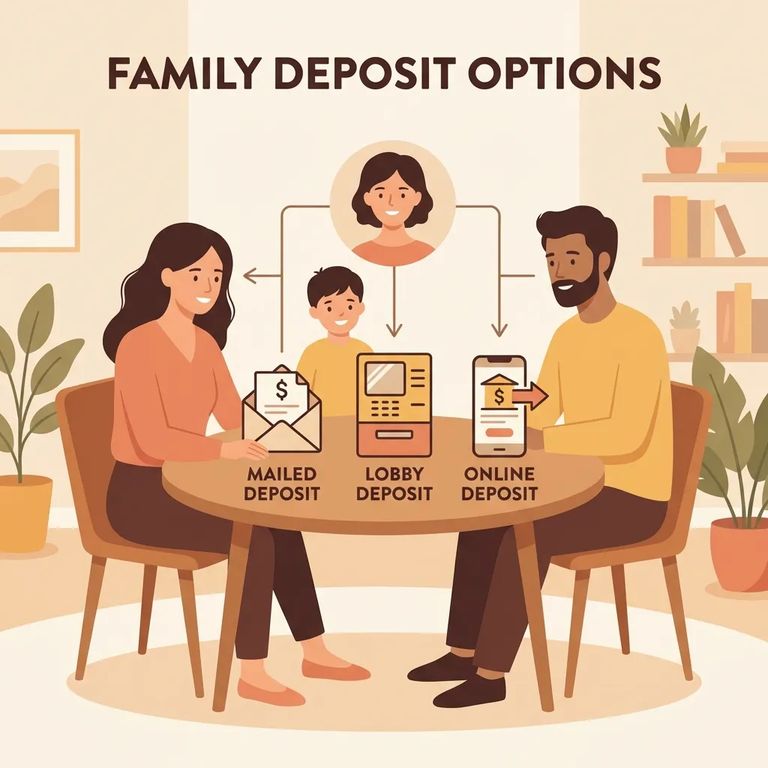
JailATM is the main hub for communication and support at this facility. Through the JailATM website, you can place bail, add funds to an inmate's account, and set up video calls. If you're trying to help someone quickly, start here. It covers multiple needs in one place.
Note: A JailATM kiosk is available in the Corrections lobby for adding funds. It does not dispense cash.
Personal mail works differently than you might expect. All personal mail gets routed to a JailATM.com central processing facility (not the jail itself), where it's opened, scanned, and delivered electronically to the inmate. That processing center does not accept books or larger packages, so sending those items there won't work. You can include photos, but they may be delayed or rejected if they depict nudity, gang activity, or criminal activity.
Steps to Follow
- ✓ Use the JailATM website to place bail for an inmate.
- ✓ Add funds to the inmate’s account through JailATM (online, or at the JailATM kiosk).
- ✓ Use the JailATM website to access video call services, if you want to connect remotely.
- ✓ If you use the JailATM kiosk in the Corrections lobby, plan on paying with a method other than cash (the kiosk does not dispense funds).
- ✓ Send personal mail knowing it will go to a JailATM.com central processing facility to be opened, scanned, and delivered electronically to the inmate.
If you’re trying to reach the Securepak service with questions, call 1-800-546-6283.
Before you send money or start setting up calls, confirm the facility is still using JailATM for bail placement, inmate account deposits, and video call services. Systems can change. Double-check the current payment methods and any limits before you submit a transaction.
- Confirm where personal mail is sent: Verify that personal mail is still routed to a JailATM.com central processing facility (not directly to the jail), where it is opened, scanned, and delivered electronically.
- Check what is not accepted: Confirm the current restrictions on books and larger packages so you do not send items that the central facility will not accept.
- Screen photos before you mail them: Make sure photos do not depict nudity, gang activity, or criminal activity, since those images may be delayed or rejected.
For Securepak, call 1-800-546-6283 to confirm what's currently available and how the service works right now.
Note: If you're unsure about placing bail through JailATM or whether an item will make it through the central mail process, contact the facility directly first. That way you won't lose time or have mail returned.
Find an Inmate at St. Charles County DOC
Search for a loved one and send messages and photos in minutes.
