Visitation at Alfred D. Hughes Unit

How to visit, scheduling, dress code, and visitor requirements

Overview

Visitation at Alfred D. Hughes Unit starts online. You must create your own TDCJ visitation account—staff can't do it for you, though they can help update an existing account. During registration, you'll submit an email and receive a message with a 7-digit validation code and a link to finish setup. Choose your email carefully: once it's tied to your account, it can't be changed or deleted. Complete the Background Questionnaire and enter phone numbers in XXX XXX XXXX format. When adding an inmate, the TDCJ/SID number must be eight digits. The scheduler shows four visit types (Regular, Contact, and Video/Tablet among them), with availability depending on the unit and the inmate's privileges. Dates may be hidden if the inmate already has a visit scheduled, and pending relationships appear under Relation Requests Pending Approval until verified at the unit.

Find an Inmate at Alfred D. Hughes Unit

Search for a loved one and send messages and photos in minutes.

Exact spelling helps find results faster

Free to search · Used by families nationwide
Woman using phone to connect with loved one

Quick Facts

  • You must create your own TDCJ visitation account; staff cannot create accounts for you.
  • After registering you will receive an email with a 7-digit validation code and a link to complete account setup.
  • Once an email address is associated with a visitation account it cannot be deleted and the email cannot be changed.
  • The scheduler offers four visit types including Regular, Contact, and Video/Tablet, but availability depends on the inmate’s privileges and the unit.
  • If the Schedule Visit button is blank or reads 'Call Unit,' you should call the inmate’s unit to schedule the visit.

Visitation Guides

How Securus Remote Video Visits Work (Alfred D. Hughes Unit)

Securus remote video visits at the Alfred D. Hughes Unit break down to three numbers: $10.00 per visit, 60 minutes per session, and one visit per month. That monthly cap applies to the incarcerated person—each inmate can receive one Securus remote video visit per month. Sessions start and end at their scheduled times, so log in a few minutes early to get the full hour.


Common Questions

How do I create a visitation account for the Alfred D. Hughes Unit?

Register at the TDCJ visitation login URL—staff can’t create an account for you. After you submit your email, you’ll receive an email with a 7-digit validation code and a link to finish registration. Complete the Background Questionnaire, enter your phone number as XXX XXX XXXX, and add the inmate using their eight-digit TDCJ/SID number.

What visit types will I see in the Alfred D. Hughes Unit scheduler?

The scheduler lists four visit types, including Regular, Contact, and Video/Tablet, but what you can select depends on the unit and the inmate’s privileges. Video/Tablet in the scheduler is separate from the Securus Video program, so confirm which option applies to your situation.

What should I do if the Schedule Visit button is blank or says 'Call Unit' or 'Not Approved for Visits'?

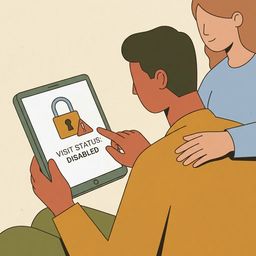
If the Schedule Visit button is blank or shows “Call Unit,” call the inmate’s unit of assignment to schedule the visit. If it says “Not Approved for Visits,” the inmate’s visitation privileges have been removed—contact the unit for clarification. If your Relationship Request is pending, it will appear under Relation Requests Pending Approval until unit staff verify it.

Other Guides for Alfred D. Hughes Unit

View all guides