
What Happens to Mail at Graham: Scanning, Tablet Delivery, and How to Request a Printed Copy
Sending letters, cards, or photos to someone at Graham Correctional Center? Here's the big change: most non-privileged mail gets digitized and delivered as a scan on a tablet. Below, you'll find what gets scanned, what doesn't, and how to request a printed copy.
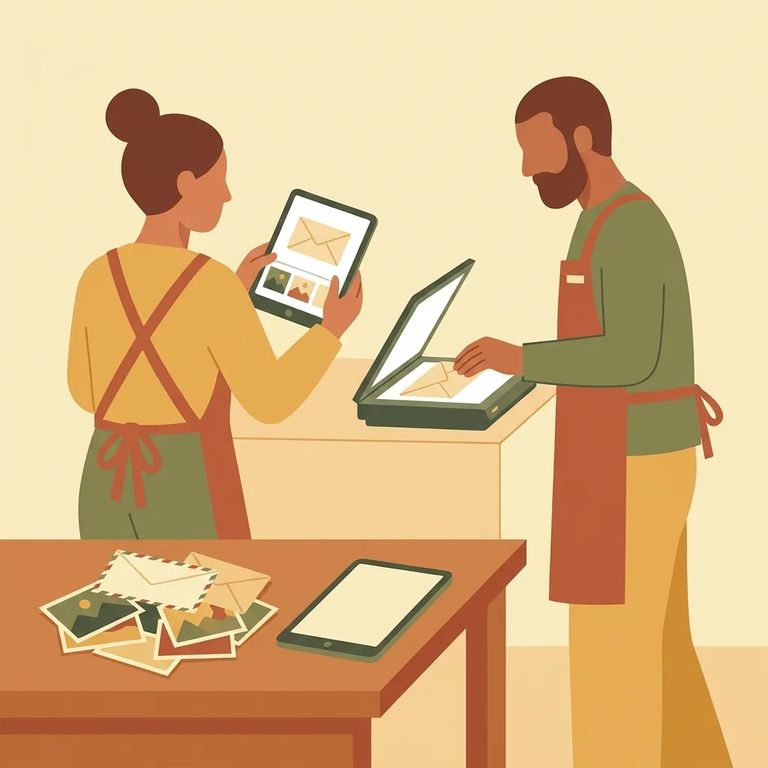
IDOC digitizes incoming non-privileged mail to keep chemical-laced paper and other dangerous substances out of facilities. This protects both incarcerated individuals and staff who handle mail. Your loved one still receives the mail content - just in digital form.
Note: There is no cost to you or your loved one for the electronic scanning of non-privileged mail.
For non-privileged mail, the mailroom scans the contents in color. That includes the front and back of the envelope, plus the front and back of each item inside - like letters, greeting cards, and photographs.
Once scanned, the facility uploads PDF images to the individual's Bulletin Board for tablet access. Each scanned document gets a document number - that's what your loved one will need if they want to request a printed copy later.
Note: If an individual doesn’t have access to a tablet for any reason, they will receive paper photocopies of their mail instead.
Privileged and legal mail follows different rules. These items won't be scanned or photocopied - they're still handled under the existing policy.
Photos from printing vendors get special treatment. If original photographs arrive directly from a photo printing vendor and show the vendor's watermark or logo, they'll be delivered in their original form - unless the content is otherwise unauthorized.

Want a paper copy of something that was scanned? Your loved one can request one from inside the facility by submitting an Individual In Custody Request Form (DOC 028) as a "Mail Print Request." They'll need to include the document number shown on the scanned item.
- Open the scanned mail on the tablet - find the specific letter/card/photo you want printed from the Bulletin Board.
- Locate the document number on the scan - it’s handwritten on the document and begins with the individual’s IDOC number (example format: Y12345-091925-1).
- Fill out DOC 028 as a “Mail Print Request” - write “Mail Print Request” and include the document number for the exact item.
- Submit the request form - once it’s turned in, the request is tied to that document number.
Practical Tips Senders
- ✓ If you want to keep a “perfect” original of a letter or card on your end, send a copy - non-privileged mail is digitized/photocopied.
- ✓ If you want printed photos delivered as originals, use a photo printing vendor that mails them directly and includes its watermark/logo.
- ✓ If you mail photos yourself in a regular envelope, expect them to be scanned along with the rest of the non-privileged contents.
Worried about extra fees? Don't be. Scanning non-privileged mail is free - no cost to you or your loved one.
Starting September 30, 2025, publications must come directly from the publisher. Visitors can no longer drop off books, magazines, or other publications at the facility.
Find an Inmate at Graham Correctional Center, IL
Search for a loved one and send messages and photos in minutes.
