How to Send Money to JPCC, LA (LA)
Sending money to someone at Jefferson Parish Correctional Center (JPCC) is straightforward once you have their ID number. Here are the approved methods and what to verify before you send anything.

Review available deposit, commissary, money order, and online payment information for sending money to an inmate at JPCC, LA.
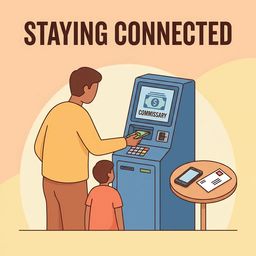
JPCC offers three ways to put money on an inmate's commissary account: an onsite lobby kiosk, online deposits, or mailed money orders. The lobby kiosk is available 24 hours, takes cash only, and posts funds immediately—you'll need the inmate's CCN. Online deposits go through Forecomm Solutions using a credit or debit card. These post immediately when accepted, but there's a $300 limit per transaction and a maximum of three transactions within seven days. Forecomm doesn't accept phone deposits. For mailed funds, send a money order (never cash) with the inmate's correct name and CCN. Processing typically takes 1 to 3 business days. A private vendor handles commissary operations, so follow JPCC and Forecomm instructions closely.
Search for a loved one and send messages and photos in minutes.
Sending money to someone at Jefferson Parish Correctional Center (JPCC) is straightforward once you have their ID number. Here are the approved methods and what to verify before you send anything.

JPCC gives you three ways to put money on someone's account: a 24-hour cash kiosk in the Intake Booking lobby, online card deposits through Forecomm, and mailed money orders. Which one works best depends on how fast you need the money to post and what payment method you have available.
Need to add money to someone's account at JPCC? You have three options: deposit cash at the 24-hour lobby kiosk, pay online through Forecomm Solutions with a credit or debit card, or mail a money order. Kiosk and Forecomm deposits post immediately. Money orders take longer.
Getting commissary money to someone at JPCC comes down to three options: the lobby kiosk, an online card deposit, or mailing a money order. The fastest methods post right away, but all of them require one key detail: the inmate's CCN.
Seeing a Forecomm error that says,
A declined deposit is usually fixable. Most of the time, it's a limit issue or a mismatched detail. Here's how to figure out what's going wrong and get your money through.
You can deposit at the JPCC lobby kiosk (open 24 hours, cash only), deposit online through Forecomm Solutions with a credit/debit card using the inmate’s CCN, or mail a money order with the inmate’s correct name and CCN.
Lobby kiosk deposits post immediately. Forecomm online deposits post immediately when accepted. Mailed money orders are processed by the vendor and typically post within 1 to 3 business days.
Forecomm may decline deposits if you exceed limits: $300 maximum per deposit and three transactions in a seven-day period. A decline marked "suspicious credit card activity" can also mean you've hit daily or weekly deposit limits. Forecomm doesn't take deposits by phone or accept credit card numbers over the phone.
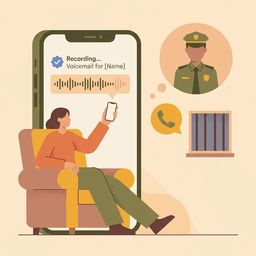
Trying to reach someone at JPCC? Here's the key thing: you can't call directly into the facility to speak with an inmate. All contact happens through the jail's inmate phone system, with a limited voicemail option for approved inmates.
If the name and numbers on your envelope don't match JPCC's routing system, your letter could get held up or returned. Copy the format exactly to avoid delays.
You cannot call an inmate at JPCC and have them pick up. The facility does not accept live incoming calls. Your only option is leaving a voicemail, and it must be for an approved inmate.